
Troubleshooting Static and Dynamic 802.1Q Trunking in Cisco Enterprise Networks: What Actually Breaks, How to Prove It, and How to Fix It
1. Introduction: why trunk troubleshooting matters
Trunk issues can be sneaky, honestly, because the link can look perfectly up at Layer 1 while VLAN traffic is still dead in the water. When I’ve chased real outages, it usually comes back to one of four things: the trunk never actually formed, the VLAN isn’t allowed, the VLAN doesn’t exist on one side, or STP/pruning is keeping it from forwarding. And for CCNP ENCOR, that difference is absolutely everything.
Here’s the first thing I always make people keep straight: 802.1Q is the standard that puts the VLAN tag on the traffic. DTP, on the other hand, is Cisco-proprietary, and all it really does is negotiate between Cisco switches to decide whether that link should become a trunk. DTP does not tag frames. 802.1Q does. That difference shows up constantly in both exam questions and production troubleshooting.
This article assumes Cisco Catalyst IOS and IOS-XE campus switching behavior unless noted otherwise. Command output and DTP support vary by platform, and many modern links in real networks use static 802.1Q trunks with DTP disabled or unsupported.
2. 802.1Q fundamentals and the four-layer validation model
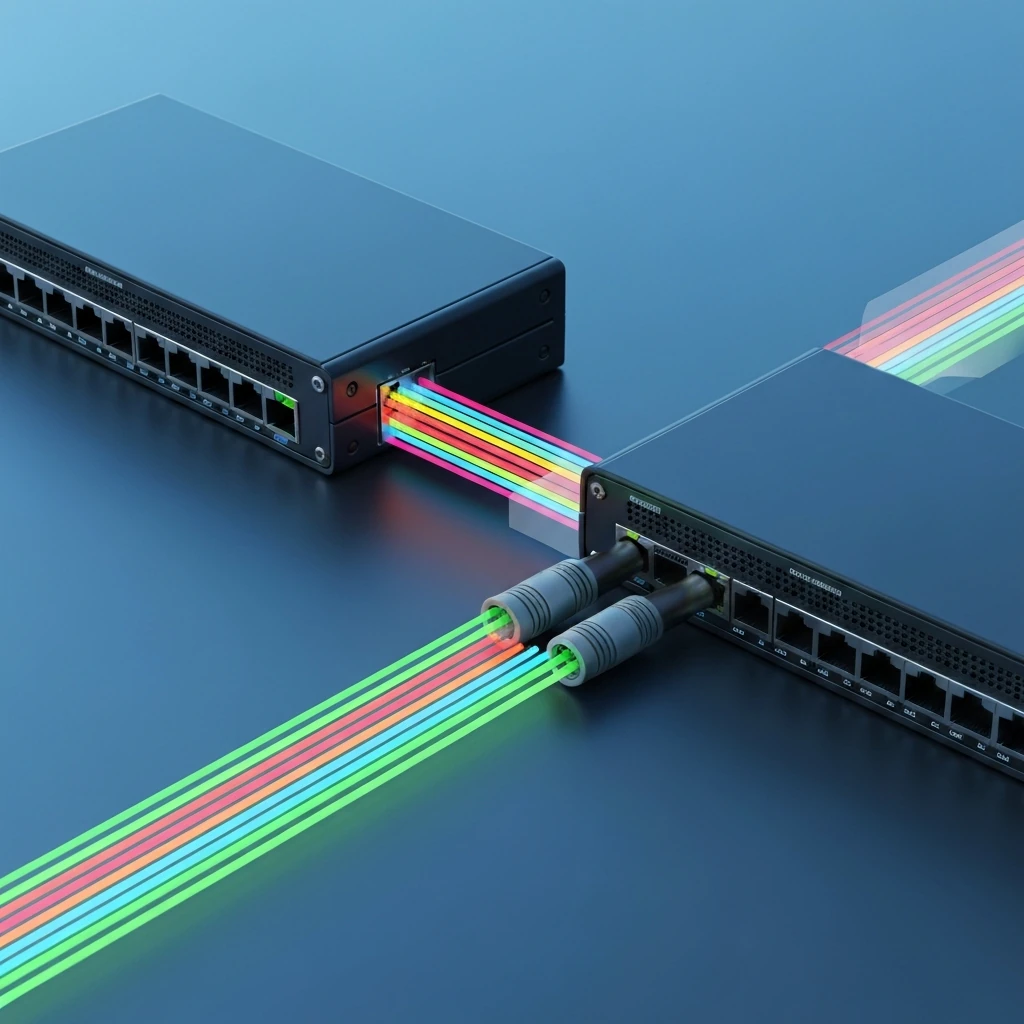
At the end of the day, an 802.1Q trunk is just one Layer 2 link doing double duty for multiple VLANs over the same physical cable. Basically, the switch slips a 4-byte VLAN tag into the Ethernet frame between the source MAC and the EtherType fields, then recalculates the FCS before it sends the frame on its way. The tag includes the TPID and TCI; within the TCI, the important exam field is the VLAN ID. Most VLAN traffic on a trunk is tagged.
The default exception is the native VLAN. Native VLAN frames usually go out untagged unless the platform and design are set up to tag native traffic explicitly. When untagged frames show up on a trunk, the switch drops them into that trunk’s native VLAN. If the two ends don’t agree on the native VLAN, the same untagged traffic can land in different VLANs on each side, and that’s how you end up with those maddening partial failures instead of one clean, obvious outage.
When I troubleshoot this stuff, I like to work through the problem in this order:
- Is the link up?
- Is the interface operationally trunking?
- Is the VLAN allowed on the trunk?
- Does the VLAN exist locally and participate on that switch?
- Is STP forwarding that VLAN on that path, and is it not pruned?
- Are MAC addresses actually being learned for that VLAN?
That sequence matters because “trunk up” does not prove “VLAN forwarding.” Likewise, “allowed on trunk” does not prove “active locally,” and “active locally” does not prove “forwarding in STP.”
3. Static trunking, DTP, and where DTP does not apply
Static trunking means you explicitly configure the port with switchport mode trunk. DTP is Cisco proprietary and is relevant only on Cisco devices and interfaces that support it. It is not used with router subinterfaces, most firewalls, most hypervisor uplinks, or third-party switches. Those peers require explicit static configuration.
The common switchport modes are access, trunk, dynamic auto, and dynamic desirable. Desirable actively negotiates. Auto waits. Auto plus auto does not form a trunk. In production, static trunks are usually preferred because they remove negotiation ambiguity.
switchport nonegotiate is often used on statically configured trunks to stop DTP frame generation, especially toward non-DTP peers. It does not create a trunk by itself. Both sides must already be configured compatibly.
DTP interaction summary
| Local | Peer | Result | Notes |
|---|---|---|---|
| trunk | trunk | Trunk forms | Preferred production model. |
| trunk | dynamic desirable | Trunk forms | Peer negotiates or accepts trunking. |
| trunk | dynamic auto | Trunk forms | Forced trunk on one side is enough. |
| dynamic desirable | dynamic desirable | Trunk forms | Both sides actively negotiate. |
| dynamic desirable | dynamic auto | Trunk forms | Classic exam case. |
| dynamic auto | dynamic auto | No trunk | Both sides wait. |
| access | trunk/desirable/auto | Operational mismatch | Link may stay up physically, but expected VLAN transport fails. |
| trunk + nonegotiate | dynamic peer | Often fails as designed intent | If the far side depends on DTP, disabling negotiation breaks the assumption. |
4. Common failure patterns
The highest-yield trunk failures are straightforward once you separate them correctly:
- Trunk formation failure: mode mismatch, DTP auto/auto, or one side expecting negotiation while the other uses
nonegotiate. - Allowed-list failure: trunk is up, but the needed VLAN is missing from the allowed list.
- VLAN absent locally: the VLAN may be allowed on the trunk but not created, not learned through VTP, suspended, or otherwise unavailable on one switch.
- STP non-forwarding: the VLAN is present and allowed, but the port is non-forwarding for that VLAN due to PVST+, Rapid-PVST+, or MST behavior.
- Pruning: a VLAN may appear generally allowed but still not be forwarding because it is pruned manually or by VTP pruning.
- EtherChannel inconsistency: member links or the port-channel configuration do not match, causing suspension or partial forwarding issues.
One more exam trap: a phone/data edge port is usually not a general trunk. Cisco IP phone deployments commonly use switchport mode access with a data access VLAN plus switchport voice vlan X. The phone tags voice traffic, but the port is not the same as a switch uplink trunk.
5. Short troubleshooting workflow that works under pressure
The first thing I do is figure out whether the problem hits all VLANs or just one. If every VLAN is failing, I immediately start thinking about trunk formation. If only one VLAN fails, think allowed list, local VLAN presence, pruning, or STP.
- Check physical state:
show interface status, interface counters, logs, and err-disable status. - Verify operational mode:
show interfaces switchport. - Verify trunk state and VLAN lists:
show interfaces trunk. - Confirm the VLAN exists locally:
show vlan brieforshow vlan id <id>. - Check STP for that VLAN:
show spanning-tree vlan <id>. - Check MAC learning:
show mac address-table dynamic vlan <id>. - If bundled, validate EtherChannel:
show etherchannel summaryand, where relevant,show lacp neighbor. - Use CDP or LLDP to confirm you are on the expected peer and port.
Safe production rule: show commands are fine; debug commands should be used sparingly and preferably during maintenance windows. debug dtp events is platform-dependent and can be intrusive.
6. How to read key commands like an exam question
The most important command is show interfaces trunk because it separates three different ideas that students often merge together:
- Vlans allowed on trunk — administratively permitted
- Vlans allowed and active in management domain — present and usable locally
- Vlans in spanning tree forwarding state and not pruned — actually forwarding on that path
Example:
Port Mode Encapsulation Status Native vlanGi1/0/1 on 802.1q trunking 99
Port Vlans allowed on trunkGi1/0/1 10,20,30,99
Port Vlans allowed and active in management domainGi1/0/1 10,20,99
Port Vlans in spanning tree forwarding state and not prunedGi1/0/1 10,99
That output means VLAN 30 is permitted in the configuration, but it isn’t active locally on that switch. That one tells you VLAN 20 exists on the switch, but STP isn’t forwarding it across that path. That single output can point to two different problems.
show interfaces switchport tells you whether the port is administratively and operationally a trunk. If admin says trunk but operational says static access, dynamic auto, or down, you still have work to do. On a lot of modern Catalyst platforms, you usually won’t even set trunk encapsulation anymore because 802.1Q is basically the only option that matters.
show spanning-tree vlan 30 is how you prove whether the VLAN is forwarding. Just watch the STP wording here: with classic 802.1D, you might see blocking, while with Rapid-PVST+, you may see an alternate role sitting in discarding. For troubleshooting, the real question is whether that port is actually forwarding traffic for the VLAN you’re trying to move.
show dtp interface can help on platforms that support it, but do not assume it exists everywhere. Treat it as a useful Cisco IOS command, not a universal truth across all Catalyst families.
7. Practical configuration examples
Static trunk between two switches:
vlan 10vlan 20vlan 99
interface GigabitEthernet1/0/1 switchport mode trunk Set the native VLAN with `switchport trunk native vlan 99` so both ends agree on where untagged traffic should land. Set the allowed VLANs with `switchport trunk allowed vlan 10,20,99` so you’re only carrying the VLANs you actually need. switchport nonegotiate
Apply matching settings on the peer. This is the cleanest model for production uplinks.
Router-on-a-stick: routers do not use DTP. That means the switch side has to be a static trunk, and the router side has to be built with 802.1Q subinterfaces.
`interface GigabitEthernet0/0` no shutdown
`interface GigabitEthernet0/0` encapsulation dot1Q 10 `ip address 192.168.10.1 255.255.255.0`
`interface GigabitEthernet0/0` encapsulation dot1Q 99 native `ip address 192.168.99.1 255.255.255.0`
EtherChannel trunk best practice: configure the logical port-channel as the primary Layer 2 interface, then add members:
interface Port-channel1 switchport mode trunk Set the native VLAN with `switchport trunk native vlan 99` so both ends agree on where untagged traffic should land. `switchport trunk allowed vlan 10,20,30,99`
`interface range GigabitEthernet1/0/1-2` channel-group 1 mode active
Then verify with show etherchannel summary. If members are suspended, check consistency and LACP state.
8. Non-Cisco peers, APs, phones, and virtualization hosts can all change the troubleshooting approach a bit, so it really pays to know what role each device is really playing.
For a non-Cisco switch, firewall, or hypervisor, don’t expect DTP to help you. no DTP. Use a static trunk if multiple VLANs are required. This is a common real-world case and a common exam distractor.
Wireless AP uplinks: some APs use access ports for management-only CAPWAP deployments, while others require trunks for local switching, FlexConnect, or multiple SSIDs mapped to VLANs. Do not assume every AP uplink is a trunk. Verify the design.
IP phones: typically an access port with a voice VLAN, not a general trunk. Traffic from the attached PC usually comes in untagged and lands in the access VLAN, while the phone tags its voice traffic for the voice VLAN.
Virtualization hosts: ESXi or Hyper-V uplinks often need a static trunk carrying multiple VLAN-backed port groups. If you leave one VLAN out of the switch’s allowed list, only the virtual machines in that VLAN will fail while everything else keeps working. And that’s exactly the kind of symptom that makes people think the trunk is fine, when really it’s only partially healthy.
9. Native VLAN, pruning, and security hardening
Native VLAN mismatches matter operationally and from a security perspective. Because native VLAN traffic is untagged by default, a mismatch can shove traffic into the wrong VLAN on one side and leave you with symptoms that are weirdly hard to trace. The usual best practice is to use an unused native VLAN, keep user traffic off it, and stay away from VLAN 1 unless you’ve got a really good reason. Changing the native VLAN by itself isn’t a magic security fix, but it’s definitely part of a solid hardening plan.
VLAN hopping questions often reference switch spoofing or double-tagging. The practical mitigations are straightforward: force user-facing ports to access mode, disable negotiation where supported, restrict allowed VLANs, use an unused native VLAN, and apply normal edge protections such as BPDU Guard on non-trunk edge ports.
Also remember pruning. A VLAN may be allowed in configuration but absent from the forwarding list because of manual pruning or VTP pruning. That is why show interfaces trunk is so valuable: it shows allowed, active, and forwarding/not-pruned views separately.
10. Three compact troubleshooting scenarios
Case 1: both sides dynamic auto. Link is up, but show interfaces trunk does not list the interface. show interfaces switchport shows dynamic auto on both ends. Fix by making the link a static trunk or setting one side to desirable in a lab. In production, static trunk plus deliberate VLAN settings is better.
Case 2: trunk up, one VLAN down. show interfaces trunk lists the port as trunking, VLAN 10 works, VLAN 30 fails, and VLAN 30 is missing from “Vlans allowed on trunk” on one side. Add the VLAN deliberately with switchport trunk allowed vlan add 30, then verify MAC learning and STP forwarding.
Case 3: VLAN allowed but still not passing. VLAN 30 appears in “allowed on trunk” but not in “allowed and active in management domain,” or it is present there but missing from “forwarding state and not pruned.” That means the issue is local VLAN availability, pruning, or STP, not trunk formation.
11. Safe troubleshooting in production
Before changing a live trunk, capture the current state on both ends: show run interface, show interfaces trunk, show interfaces switchport, show spanning-tree vlan <id>, and if needed show etherchannel summary. And seriously, make one change at a time. That’s how you keep a small fix from turning into a much bigger outage. That’s how you keep from turning a small issue into a bigger one. That’s saved me more than once. Native VLAN and allowed-list changes can bite immediately, so you really want a rollback plan ready before you start. If the link is part of a port-channel, change the logical port-channel interface deliberately and verify member consistency.
Use logs too. show logging may reveal native VLAN mismatch warnings, err-disable events, or EtherChannel consistency errors faster than staring at interface output alone.
12. ENCOR rapid review and exam traps
- 802.1Q tags frames; DTP negotiates trunking.
- DTP is Cisco proprietary and not used with routers, most firewalls, hypervisors, or third-party switches.
- Auto + auto = no trunk.
- Desirable + auto = trunk.
- Trunk up does not prove VLAN forwarding.
- Allowed on trunk does not prove active locally.
- Active locally does not prove STP forwarding.
- Pruned VLANs can still fail even when a trunk exists.
- Voice VLAN on an access port is not the same as a switch uplink trunk.
- Router-on-a-stick uses explicit
encapsulation dot1Q; DTP is irrelevant.
If all VLANs fail, suspect trunk mode, DTP, or a physical or administrative issue. If one VLAN fails, suspect allowed list, local VLAN availability, pruning, or STP. If the link is bundled, always include EtherChannel consistency in your checks.
That is the exam-ready way to think about trunk troubleshooting: prove trunk formation first, then prove VLAN eligibility, then prove forwarding. Once you do that in order, most 802.1Q and DTP questions become much easier to dissect under pressure.