
Implementing Ethernet Virtual LANs for CCNA 200-301: Practical Cisco IOS Configuration, Verification, and Troubleshooting
1. Introduction: Why VLANs Matter
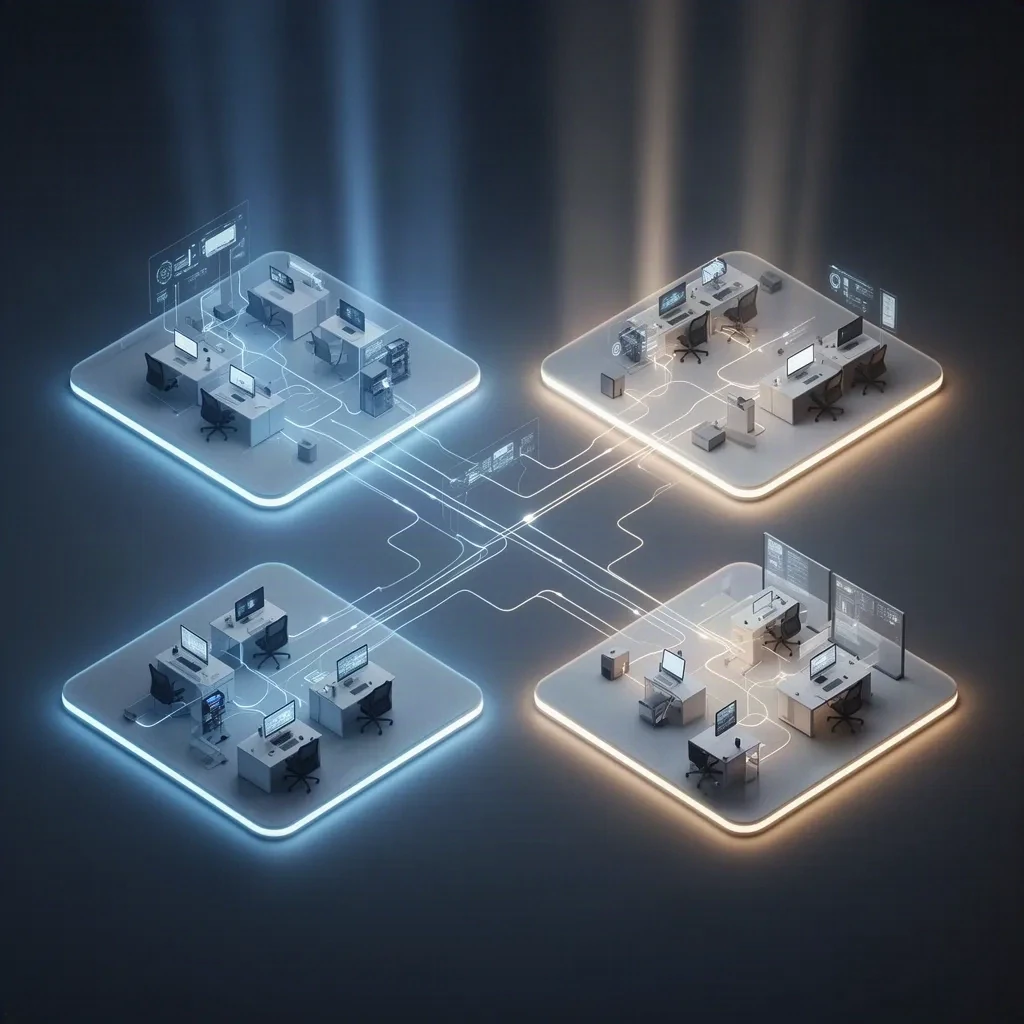
Why do VLANs matter so much in CCNA switching? Because one physical Ethernet plant can, rather neatly, be split into several logical Layer 2 networks. One switch stack... many broadcast domains. Users, phones, guests, printers, cameras, management interfaces—must they all be forced to mingle just because they happen to land on the same hardware? No. They needn’t be.
And the exam? Honestly, the CCNA tends to reward clear thinking more than fancy wording. If you can picture a frame entering a VLAN, getting tagged by 802.1Q on the trunk, then being handed off to Layer 3 for inter-VLAN routing, and finally being checked with the right show commands, a lot of CCNA suddenly gets a whole lot easier to follow. VLANs touch trunks, native VLANs, voice VLANs, STP behavior, router-on-a-stick, SVIs, DHCP per subnet, and the usual campus troubleshooting patterns (yes, all of them).
One point, right from the beginning, should not be blurred: VLANs segment at Layer 2; they do not perform Layer 3 routing. If two devices are in different VLANs, they can’t talk directly unless a router or multilayer switch gets involved. That’s an exam favorite. It’s also the real world, inconveniently enough.
2. How VLANs Segment Traffic
A VLAN is a logical Layer 2 segment. On Cisco switches, forwarding is not merely “per port”; it is per VLAN context. A MAC address is learned within a VLAN, logically speaking, not just on some isolated interface. In Cisco CLI, you normally confirm this with the MAC address table, while CAM refers to the hardware memory technology behind that behavior.
The effect is simple, though the implications are not: one switch fabric can host multiple separate broadcast domains. So a host in VLAN 10 and another in VLAN 20, even if plugged into the same switch, remain in different Layer 2 neighborhoods. Broadcasts, unknown unicasts, and unknown multicast flooding stay inside their VLAN—unless some control feature, such as IGMP snooping for multicast, changes the story.
That is why enterprise networks usually map VLANs to separate IP subnets. Not because a VLAN and a subnet are the same thing—they aren’t—but because pairing them keeps the design clean and easy to manage. A common design, for example, looks like this:
- VLAN 10 USERS → 192.168.10.0/24
- VLAN 20 VOICE → 192.168.20.0/24
- VLAN 99 MGMT/NATIVE → 192.168.99.0/24
Same VLAN and same subnet usually travel together. Why? Simplicity. ARP, default gateways, troubleshooting—everything behaves more predictably. But here’s the trap, the classic one: being in the same VLAN does not help if one host has the wrong mask or has wandered into the wrong subnet.
And boundaries? Be precise. A VLAN is a Layer 2 boundary for broadcasts and unknown unicast flooding. Useful, yes. Helpful, certainly. But a complete security boundary? Not by itself. For real isolation, Layer 3 policy, ACLs, firewalling, and management controls still matter.
3. Access Ports, Trunk Ports, and Voice VLANs
An access port connects an endpoint to one data VLAN. Frames from that endpoint usually come in untagged, and the switch just drops them into the configured access VLAN. A trunk, by contrast, carries multiple VLANs between devices and relies on 802.1Q tagging so the receiver knows which VLAN each frame belongs to.
| Port Type | Purpose | VLANs Carried | Tagging |
|---|---|---|---|
| Access | Endpoint connection | One data VLAN, optionally one voice VLAN | Data typically untagged |
| Trunk | Network-device interconnect | Multiple VLANs | 802.1Q tagged, except native VLAN traffic by default |
Voice VLANs are important in CCNA land. Picture an IP phone with a PC daisy-chained behind it. The switchport, in exam terms, is still an access port—not a general trunk. The phone usually learns the voice VLAN through CDP or LLDP-MED, tags voice traffic for that VLAN, and passes the PC’s traffic untagged into the access VLAN. Neat, isn’t it?
interface f0/2 switchport mode access switchport access vlan 10 switchport voice vlan 20
If voice works but the PC doesn’t—or the other way around—don’t leap straight to blaming the trunk. Check the access VLAN, the voice VLAN, the phone discovery method, and endpoint addressing first. The obvious culprit is not always the real one.
4. 802.1Q Tagging, Native VLAN, and DTP
802.1Q is the IEEE standard for VLAN tagging on Ethernet trunks. Yes, there was once Cisco ISL, but for modern CCNA study it’s historical background, nothing more. With 802.1Q, the switch inserts a 4-byte tag into the Ethernet frame. At a high level, that tag includes:
- TPID to identify the frame as 802.1Q-tagged
- PCP for Layer 2 priority marking
- DEI for drop eligibility
- VID for the VLAN ID
Small header, small overhead... yet worth knowing conceptually, even if nobody expects deep MTU math from you on the exam.
On a trunk, most VLANs are sent tagged. The native VLAN is the VLAN that untagged frames on that trunk get associated with by default. So if an untagged frame shows up, the receiving switch puts it into the native VLAN. And here’s the gotcha: if SW1 is using native VLAN 99 but SW2 is still expecting native VLAN 1, that same untagged traffic gets interpreted differently on each side. Result? Confusion, warnings, STP/CDP inconsistency messages, and very awkward troubleshooting.
Best practice, then? Use an unused native VLAN. Avoid putting user traffic there. Keep the native VLAN matched on both ends of the trunk. Some platforms can tag native VLAN traffic, but for CCNA purposes the default untagged behavior is what you should understand first.
DTP, or Dynamic Trunking Protocol, is Cisco-proprietary. It can negotiate trunking between Cisco devices, though I’d usually rather configure trunks explicitly—for predictability, for security, and frankly, for peace of mind. And the exam loves this one: dynamic auto + dynamic auto does not form a trunk. Why would it? Both sides are waiting.
| Side A | Side B | Result |
|---|---|---|
| trunk | trunk | Trunk |
| trunk | dynamic auto | Trunk |
| dynamic desirable | dynamic auto | Trunk |
| dynamic auto | dynamic auto | No trunk |
| access | trunk | Mismatch/problem |
switchport nonegotiate turns off DTP negotiation. Use it when the port is statically configured and the neighbor doesn’t need DTP. Especially on user-facing ports, this matters for hardening against switch spoofing.
One platform note—just one, though it matters: older Catalyst switches may require switchport trunk encapsulation dot1q; many modern Catalysts support only 802.1Q and omit that command entirely.
5. VLAN IDs, Cisco Ranges, and VLAN 1
IEEE 802.1Q allows usable VLAN IDs from 1 through 4094. VLAN 0 and 4095 are reserved. Cisco platforms still often distinguish between normal-range VLANs (1–1005) and extended-range VLANs (1006–4094). Depending on platform, VTP mode/version, and software family, that distinction can matter—so treat it as Cisco-specific terminology, not a universal Ethernet law.
Also, do not overvalue the name. VLAN names are just local labels. The VLAN ID is what forwarding uses. So if VLAN 10 is called USERS on one switch and STAFF on another, it’s still VLAN 10 as far as tagging and forwarding are concerned. Operationally tidy? No. Functionally fatal? Not usually.
VLAN 1 exists by default on Cisco switches and, on many platforms, is tied to a number of default or control behaviors—protocols commonly associated with Cisco campus switching such as CDP, VTP, DTP, PAgP, and PVST+ behavior. Best practice says to keep user traffic off VLAN 1 and use a dedicated management VLAN instead. Yet VLAN 1 does not vanish just because you ignore it.
Historically, VLANs 1002–1005 were reserved on Cisco for legacy media support and are not normal choices for Ethernet user VLAN design.
6. Configuring VLANs, Access Ports, and Trunks
Consider a small two-switch lab. For this example, SW1 and SW2 will use VLAN 10, VLAN 20, and VLAN 99, and Gi0/1 between them will be the trunk. Simple, but useful.
vlan 10 name USERS vlan 20 name VOICE vlan 99 name NATIVE ! interface f0/1 switchport mode access switchport access vlan 10 ! interface f0/2 switchport mode access switchport access vlan 10 switchport voice vlan 20 ! interface g0/1 switchport mode trunk switchport trunk native vlan 99 switchport trunk allowed vlan 10,20,99
Match the VLANs and trunk settings on the far-end switch too. Here’s the subtle but really important part: creating a VLAN in the switch database is not the same thing as allowing it on a trunk. A VLAN can exist just fine and still get blocked by the allowed list, by link state, or by spanning tree. Easy to forget. Very easy.
For a VLAN to forward across a trunk, several conditions must line up:
- The link must be operational
- The interfaces must actually be trunking
- The VLAN must be allowed on the trunk
- The VLAN must exist and be active locally in the switch context
- STP must be forwarding for that VLAN on that port
So no, “the trunk is up” is not enough evidence. It never was.
7. Verification Commands That Matter
These are the core CCNA verification commands—and the questions they answer.
| Command | What It Tells You |
|---|---|
| show vlan brief | Which VLANs exist locally and which access ports belong to them |
| show interfaces trunk | Which ports are trunking, native VLAN, and allowed VLANs |
| show interfaces switchport | Administrative/operational mode, access VLAN, voice VLAN, native VLAN |
| show interfaces status | Interface link state and basic port status |
| show mac address-table | Where the switch learned MAC addresses, by VLAN and port |
| show spanning-tree vlan 10 | Whether STP is forwarding or blocking for that VLAN |
Two exam notes are worth keeping close:
show vlan briefmainly shows local VLAN existence and access-port membership. Trunk ports do not appear there as VLAN members.- If
show vlan briefshows VLAN 10 as active, that means the VLAN exists and is active locally. It does not prove hosts are attached or that the VLAN is forwarding across trunks.
A typical trunk check might look like this:
Port Mode Encapsulation Status Native vlan Gi0/1 on 802.1q trunking 99 Port Vlans allowed on trunk Gi0/1 10,20,99
On some platforms, you may also see wording like “allowed and active in management domain.” That just means the VLANs are active locally in the switch or VTP context. The real question—the only one that matters in the moment—is whether the VLAN exists locally and is eligible to forward on that trunk.
8. Inter-VLAN Routing: Router-on-a-Stick and SVIs
Different VLANs need Layer 3 routing if they are to communicate. Each VLAN, typically, gets its own default gateway IP. Otherwise... silence.
Addressing example
- VLAN 10: 192.168.10.0/24, gateway 192.168.10.1
- VLAN 20: 192.168.20.0/24, gateway 192.168.20.1
- VLAN 99: 192.168.99.0/24, gateway 192.168.99.1
Router-on-a-stick example
interface g0/0 no shutdown ! interface g0/0.10 encapsulation dot1Q 10 ```ip address 192.168.10.1 255.255.255.0``` ! interface g0/0.20 encapsulation dot1Q 20 `i`ip address 192.168.20.1 255.255.255.0`` ! interface g0/0.99 encapsulation dot1Q 99 native `ip address 192.168.99.1 255.255.255.0`
The switchport toward the router must be a trunk carrying VLANs 10, 20, and 99. Not one, not two—those three, if that is the design.
SVI example on a multilayer switch
ip routing ! interface vlan 10 ```ip address 192.168.10.1 255.255.255.0``` no shutdown ! interface vlan 20 `i`ip address 192.168.20.1 255.255.255.0`` no shutdown ! interface vlan 99 `ip address 192.168.99.1 255.255.255.0` no shutdown
On many Cisco multilayer switches, ip routing is required for inter-VLAN routing. And don’t overlook this: an SVI may not come fully up unless the VLAN exists and at least one associated port is active, depending on platform and topology.
For a Layer 2 switch management SVI, remote reachability also depends on a default gateway:
interface vlan 99 `ip address 192.168.99.2 255.255.255.0` no shutdown ! ip default-gateway 192.168.99.1
9. DHCP, Wireless, STP, and VTP: The Related Pieces
DHCP per VLAN: each VLAN usually maps to its own DHCP scope. If the DHCP server lives in another subnet, the gateway interface for that VLAN often needs DHCP relay.
interface vlan 10 ```ip address 192.168.10.1 255.255.255.0``` ip helper-address 192.168.50.10
Without relay, a client may fail to receive an address even when VLAN and trunking are correct. Classic false alarm. A “VLAN problem” that isn’t one.
Wireless mapping: SSIDs are often mapped to VLANs. Depending on the design, an AP uplink might be access or trunk. A controller-based or multi-SSID deployment often uses a trunk so multiple VLANs can reach the AP or the upstream device, though not every AP uplink automatically becomes a trunk. If one SSID works and another doesn’t, check the VLAN mapping and allowed VLANs on the relevant link.
STP and VLANs: in Cisco environments, PVST+ or Rapid PVST+ often runs per VLAN, while some networks use MST. So yes, one physical port can be forwarding for VLAN 10 and blocking for VLAN 20 at the same time. Odd? Perhaps. Real? Absolutely. If one VLAN works and another fails across the same trunk, use show spanning-tree vlan <id>.
VTP in one page: VTP can distribute VLAN information in Cisco networks. Server, client, and transparent are the main modes. It matters because an unexpected VTP change or revision-number issue can overwrite VLAN information. A lot of production teams choose transparent mode or just handle VLANs manually because it reduces risk. For CCNA, know what VTP is and why careless use can be dangerous.
10. Troubleshooting Workflow and Common Failures
Use a layered workflow. Guessing is faster only until it isn’t.
- Physical or link up? Check
show interfaces status. - Does the VLAN exist locally? Check
show vlan brieforshow vlan id X. - Is the access port in the correct VLAN? Check
show interfaces switchport. - Is the trunk actually trunking? Check
show interfaces trunk. - Is the VLAN allowed on the trunk and active locally?
- Is STP forwarding for that VLAN? Check
show spanning-tree vlan X. - Are MAC addresses being learned where expected? Check
show mac address-table. - Are IP addressing, default gateway, routing, DHCP relay, ACLs, or security features the real issue?
| Symptom | Likely Cause | Command | Fix |
|---|---|---|---|
| Same-VLAN hosts cannot talk | Wrong access VLAN or bad IP mask | show interfaces switchport, show vlan brief | Fix port VLAN or host addressing |
| VLAN works locally but not across switches | Trunk not trunking, VLAN not allowed, or STP blocking | show interfaces trunk, show spanning-tree vlan X | Fix trunk mode, allowed list, or topology |
| Inter-VLAN communication fails | Missing gateway, no ip routing, bad subinterface or SVI, ACL | show ip interface brief, show ip route | Fix Layer 3 configuration |
| Client gets no IP address | Wrong VLAN, missing DHCP scope, missing helper address | show interfaces switchport, show run interface vlan X | Fix VLAN or DHCP relay |
| Native VLAN warnings | Native VLAN mismatch | show interfaces trunk | Match native VLAN on both ends |
And one trap shows up again and again: trunk up does not mean every VLAN is forwarding. A VLAN might be missing from the allowed list, missing locally, or blocked by STP. Pick your poison.
11. Security and Design Best Practices
Good VLAN design helps operations, but by itself it is not a full security solution. So what should you do?
- Avoid VLAN 1 for user traffic.
- Use a dedicated management VLAN, and restrict management access with ACLs or AAA where appropriate.
- Statically configure trunks; do not rely on DTP by default.
- Force user-facing ports to access mode.
- Use
switchport nonegotiatewhere appropriate on static links. - Use an unused native VLAN and avoid carrying user traffic on it.
- Limit allowed VLANs on trunks.
- Shut down unused ports and place them in an unused VLAN.
- Consider PortFast and BPDU Guard on user-facing access ports.
- Use adjacent protections such as DHCP snooping and Dynamic ARP Inspection where supported.
For VLAN hopping, there are two classic ideas. Switch spoofing abuses dynamic trunk negotiation, so the mitigation is to force access mode and avoid DTP on user ports. Double-tagging abuses native VLAN handling, so the mitigation is to use an unused native VLAN and keep user traffic out of it.
From a design perspective, smaller and more purposeful VLANs reduce ARP and broadcast load and make troubleshooting cleaner. Stretch VLANs farther across the campus only when the design truly requires it.
12. CCNA Exam Traps and Quick Review
Must-know distinctions
| Term | Meaning |
|---|---|
| Access VLAN | Data VLAN assigned to an access port |
| Voice VLAN | Separate VLAN used by an IP phone on an access port |
| Native VLAN | Trunk concept; VLAN associated with untagged traffic by default |
| Inter-VLAN routing | Layer 3 forwarding between VLANs |
Common exam traps
- VLANs do not route traffic.
- Trunk ports do not appear as VLAN members in
show vlan brief. dynamic autodoes not actively form a trunk with anotherdynamic auto.- Native VLAN is a trunk concept, not a user access-port concept.
- A trunk can be up while a VLAN is still blocked by STP or missing from the allowed list.
- On multilayer switches, forgetting
ip routingbreaks inter-VLAN routing.
Simulator-task checklist
- Create the VLANs.
- Assign access ports correctly.
- Configure the trunk and native VLAN.
- Restrict allowed VLANs if required.
- Verify with
show vlan brief,show interfaces trunk, andshow interfaces switchport. - If routing is required, configure subinterfaces or SVIs and verify gateways.
13. Conclusion
For CCNA, VLANs are not merely definitions to memorize. You need to understand how Layer 2 segmentation works, how access ports and trunks behave, how 802.1Q tagging and the native VLAN operate, and how to verify actual switch behavior with show commands. You also need to recognize when the issue is no longer a VLAN issue at all—but routing, DHCP, STP, ACLs, or endpoint addressing instead.
If you can confidently configure VLAN 10, VLAN 20, and VLAN 99; build a working trunk; explain access VLAN versus native VLAN versus voice VLAN; and troubleshoot with evidence rather than guesswork, you are in strong shape for the CCNA 200-301 exam and for real campus switching work.