
CCNP ENCOR 350-401: AP Modes and Antenna Types Explained
1. Introduction and exam context
For CCNP 350-401 ENCOR, this topic is easier if you separate two ideas cleanly: AP mode defines the AP’s operational role, while antenna type defines the RF pattern. Cisco is not just testing vocabulary. What Cisco’s really testing here is whether you can look at a scenario and figure out if the issue is logical, physical, or a little bit of both.
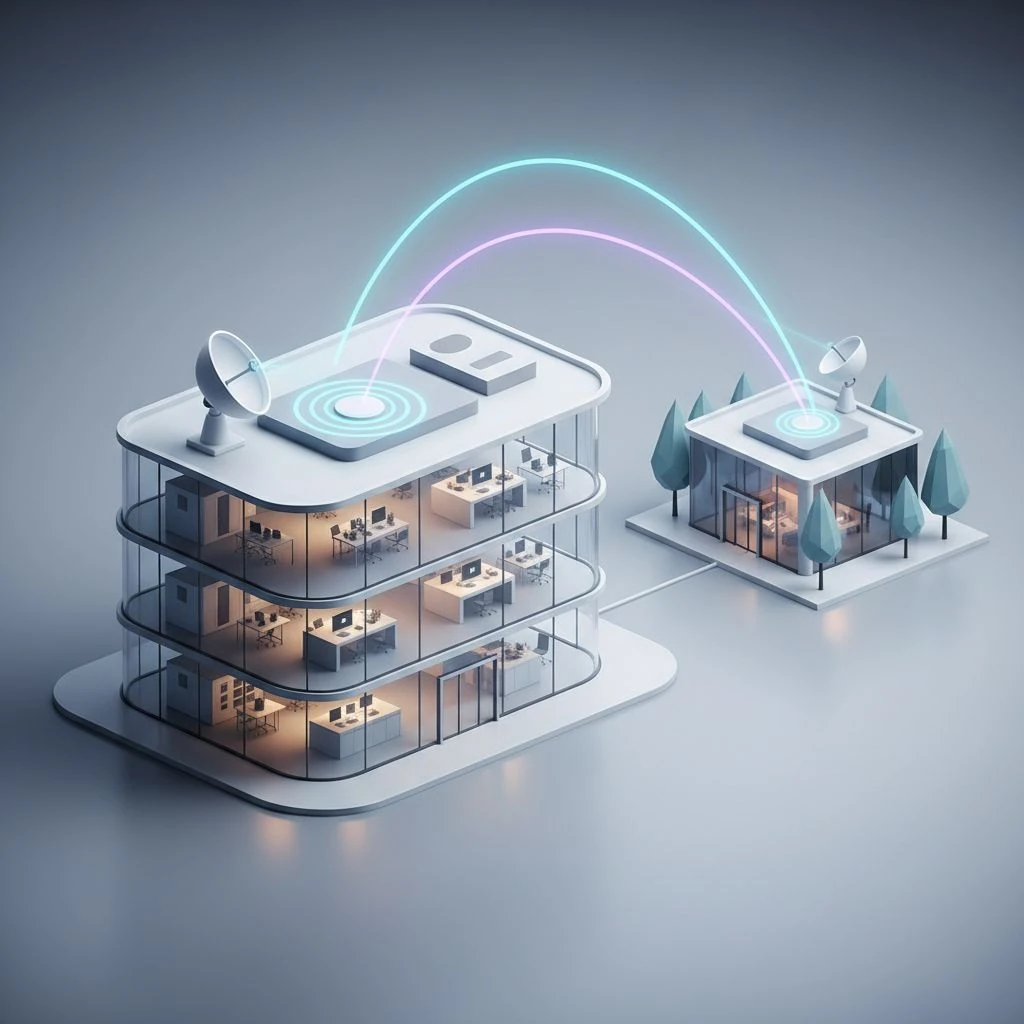
And that difference matters because an AP might be serving clients or it might be doing something completely different, like monitoring or sniffing, while the deployment itself still needs a very specific antenna pattern. So, for example, a branch AP might need FlexConnect to stay useful if the WAN gets ugly, but it could still use an omnidirectional antenna for normal office coverage. A building-to-building link may need bridge or mesh behavior, but the real RF success depends on directional antennas, alignment, and path clearance.
Now, one quick caveat before we go any further: Cisco mode support can vary depending on the AP model, the controller platform, and even the software release. Not every AP supports every mode, and the workflow isn’t exactly the same across AireOS, Catalyst 9800, and Cisco’s newer wireless platforms. For ENCOR, focus on the role and design intent first, then remember that platform details can vary.
2. Cisco wireless architecture, CAPWAP, and platform caveats
A lot of Cisco enterprise WLANs are designed around a controller-based setup, which is basically the standard approach in most campus environments. In that model, lightweight APs discover a WLC, join it, download their configuration and policy, and then run as part of a centrally managed wireless system. Depending on the platform and how the network’s built, AP discovery can happen a few different ways — Layer 2 broadcast on the local subnet, DHCP option 43, DNS, or even controller information that’s been set manually. After discovery and join, Cisco lightweight APs commonly use CAPWAP to communicate with the controller, with DTLS protecting the control plane on supported deployments.
The key exam point is this: centralized management does not always mean centralized data forwarding. In traditional local-mode designs, client traffic is commonly centrally switched through the controller tunnel, although exact behavior is platform- and architecture-dependent. In FlexConnect, the AP still maintains CAPWAP control to the WLC, but client data can be locally switched at the branch. In OfficeExtend, the AP establishes a secure tunnel back to the enterprise for teleworker use.
That control-plane versus data-plane split is one of the most common Cisco exam traps. If a question is about survivability during WAN loss, think beyond “does the AP still have power?” and ask whether control, authentication, and data forwarding can still function in that design.
3. AP modes and deployment roles overview
| Mode or role | Primary purpose | Serves clients? | Key distinction |
|---|---|---|---|
| Local mode | Default campus client service | Yes | Standard controller-based AP role |
| FlexConnect | Branch client service with local switching options | Yes | Central management with branch survivability focus |
| Monitor mode | RF/security monitoring | No | Scans for rogues and wireless events; not normal client access |
| Sniffer mode | 802.11 packet capture | No | For troubleshooting on a selected channel |
| Rogue Detector mode | Wired-side rogue correlation | No | Listens on wired network to correlate rogue activity |
| Bridge mode | A dedicated wireless link between two locations, or one location and several others. | Typically no | Dedicated wireless connectivity between sites/segments |
| Mesh mode | Multi-hop wireless backhaul | Depends on role/design | Uses RAP/MAP concepts for self-forming backhaul |
| OfficeExtend | Teleworker enterprise extension | Yes | Secure home-office tunnel to enterprise WLC |
Strictly speaking, Cisco documentation sometimes discusses FlexConnect differently from classic AP operating modes, but for ENCOR study it is still treated as a core AP deployment role you must recognize in scenarios.
4. The modes that matter most on the exam
Local mode is the default answer for a normal campus WLAN. The AP serves clients, joins the WLC, and is centrally managed. In traditional designs, client traffic is commonly centrally switched, and the AP also performs off-channel scanning for RF management and security functions. If the controller path fails, local-mode behavior is far less branch-friendly than FlexConnect. That is why local mode is usually the right answer for a stable campus, but the wrong answer for a remote site with WAN risk.
FlexConnect is the branch answer. It keeps centralized management but allows local switching of client traffic at the remote site. It can also support central switching if the design requires it. The important nuance is that local switching does not automatically mean all authentication is local. Survivability depends on the configured authentication method, local resources, cached credentials, and feature support. A branch may keep passing locally switched traffic during WAN trouble, yet still lose some centrally dependent services if RADIUS or controller reachability is required.
Monitor mode is a non-client-serving role for RF and security monitoring. It scans channels, helps detect rogues, and supports wireless IDS/IPS-related visibility depending on platform and features. It is not the same as dedicated spectrum analysis. If the question says “security monitoring” or “rogue detection,” think monitor, not sniffer.
Sniffer mode is for packet capture. The AP is placed on a selected channel and forwards 802.11 frames to a protocol analyzer for detailed inspection. This is channel-specific troubleshooting, not broad continuous monitoring. If the scenario says “capture association frames,” “analyze authentication exchange,” or “troubleshoot retries,” the answer is sniffer mode.
Rogue Detector mode is more specialized. A rogue detector AP is attached to the wired network and listens to wired traffic, such as ARP-related information, to help correlate rogue devices detected over the air by other APs with wired MAC activity. It is not primarily watching the air like a monitor AP. If the question emphasizes wired/wireless correlation, rogue detector is the better choice.
Bridge mode is typically used for point-to-point or point-to-multipoint wireless bridging where the goal is dedicated connectivity between locations. Mesh mode is primarily about self-forming, self-healing multi-hop wireless backhaul. In Cisco mesh, a RAP has wired network access and a MAP reaches the network through the mesh backhaul. Client access in mesh depends on platform and design, so do not assume “mesh always serves clients.”
OfficeExtend is the teleworker answer. It is not “FlexConnect for home.” An OfficeExtend AP builds a secure tunnel across the Internet back to the enterprise controller and extends enterprise access to a home office. Support depends on specific Cisco AP models and controller features, so it should be treated as a platform-aware teleworker design, not a generic branch mode.
5. High-value comparisons Cisco likes to test
| Comparison | Correct distinction | Common trap |
|---|---|---|
| Local vs FlexConnect | Both are centrally managed; FlexConnect is the branch survivability/local switching option | Confusing management with forwarding |
| Monitor vs Sniffer | Monitor scans for RF/security events; Sniffer captures frames for analysis | Choosing monitor when packet capture is required |
| Monitor vs Rogue Detector | Monitor watches wireless activity; Rogue Detector correlates wired traffic with rogue findings | Assuming all non-client modes do the same thing |
| Bridge vs Mesh | Bridge is typically dedicated connectivity; Mesh is multi-hop wireless backhaul | Treating them as interchangeable |
| FlexConnect vs OfficeExtend | FlexConnect is branch/remote site; OfficeExtend is teleworker/home office | Reading “remote” and picking the wrong one |
6. FlexConnect deep dive
FlexConnect deserves extra attention because it shows up constantly in real deployments and exam questions. At a branch, it can map WLANs to local VLANs, locally switch traffic, and reduce WAN dependency. But engineers often oversimplify it. Local switching keeps user traffic at the branch. Central switching sends it to the controller. Central authentication may still depend on enterprise AAA reachability, while some designs use local authentication options or survivability features depending on platform support.
Operationally, a good branch design asks three separate questions: Where is the traffic switched? Where is the user authenticated? What still works if the WAN fails? Those answers are not always identical. A common mistake is assuming “FlexConnect” alone guarantees full branch independence. It does not. The exact survivability depends on WLAN configuration, AAA reachability, local resources, and supported features such as cached credentials or local switching behavior.
Typical branch troubleshooting example: users lose wireless during WAN outage. If the APs are in local mode, or FlexConnect is configured with central dependencies for critical functions, the branch may fail exactly when you expected it to survive. The fix is not just “change the mode,” but validate switching, VLAN mapping, AAA behavior, DHCP reachability, and what services remain available locally.
7. Antenna fundamentals you actually need
Antenna terminology causes as much confusion as AP modes. The first cleanup is this: omnidirectional and directional describe radiation patterns, while dipole, patch, panel, Yagi, and dish describe antenna forms that produce certain patterns.
Gain is usually expressed in dBi, referenced to an isotropic radiator. Some specifications use dBd, referenced to a dipole; 0 dBd = 2.15 dBi. Gain does not create extra transmit power. It shapes energy more effectively in one or more directions, often by narrowing horizontal and/or vertical beamwidth depending on the antenna design.
EIRP is the effective isotropic radiated power and is calculated as transmitter output power - cable/connector loss + antenna gain. Regulatory rules set the maximum allowed EIRP, but that’s separate from the actual formula you use to calculate it. For example, if the AP radio is transmitting at 17 dBm, you lose 2 dB in the cable and connectors, and the antenna adds 8 dBi of gain, the EIRP ends up at 23 dBm.
Beamwidth matters in both planes. An antenna may have a wide horizontal pattern but a tight vertical pattern, or the opposite. That is why mounting height, wall versus ceiling placement, and downtilt matter. “Omni” does not mean equal coverage in every direction. It usually means approximately 360 degrees in the horizontal plane, with a compressed vertical pattern.
Polarization also matters. Getting the polarization to match can make a real difference in link quality, especially on directional outdoor links. Modern enterprise WLANs do get more complicated with MIMO and multiple antenna elements in the mix, but the practical takeaway’s still pretty simple: orientation and supported antenna design absolutely affect real-world performance.
And finally, external antennas aren’t something you can just mix and match however you want. You’ve gotta use antenna models that are supported for that Cisco AP, with the right connector type, the right antenna profile, and the right regulatory-domain guidance.
8. Common antenna types and where they tend to fit best
Dipole is an antenna element type often associated with broad coverage patterns. Omnidirectional is the pattern category commonly used for indoor office floors, classrooms, and retail areas where users are spread around the AP.
Patch and panel antennas are directional and useful for focused area coverage such as warehouse aisles, corridors, lecture halls, or outdoor zones. They are often better than omni antennas when you need tighter cell boundaries and less spillover.
Yagi antennas are highly directional and can be used for targeted outdoor reach, though in many modern enterprise deployments panel or dish antennas are more common for outdoor links depending on distance and design. Dish/parabolic antennas are strong candidates for longer point-to-point bridge links because they provide very narrow, high-gain patterns.
Sector antennas cover a controlled slice of space and are common in outdoor campus, yard, and venue environments. They are useful when you want directional coverage over a broader angle than a narrow link antenna.
| Antenna/pattern | Best fit | Typical caution |
|---|---|---|
| Omnidirectional | General indoor coverage | Can overspread RF into adjacent cells |
| Patch/Panel | Aisles, corridors, focused zones | Needs correct orientation and mounting |
| Sector | Outdoor area coverage | Wrong azimuth or tilt creates coverage holes |
| Yagi/Dish | Point-to-point outdoor links | Alignment and path clearance are critical |
9. Design tradeoffs: when omni is wrong and directional is right
Omni antennas are common indoors because they support broad user mobility, but honestly, they’re not always the best indoor choice. In a warehouse aisle, a directional panel often does a better job because it pushes energy down the aisle instead of wasting it into metal shelving and the neighboring rows. And in a long corridor, a focused pattern can help keep coverage from bleeding into nearby spaces. In lecture halls or high-density seating, directional coverage can help control cell size and reduce co-channel interference.
The practical design goal is not “maximum coverage.” It is usable coverage with controlled cell boundaries. Oversized cells create sticky clients, poor roaming, and unnecessary interference. In high-density WLANs, lower power with more carefully shaped cells often performs better than fewer APs blasting broad coverage.
Band choice matters too. 2.4 GHz generally propagates farther all else equal, but it has fewer non-overlapping channels and more interference. 5 GHz offers better enterprise capacity planning. 6 GHz, where allowed by regulatory domain, adds more spectrum but comes with important considerations such as WPA3 requirements for standard 6 GHz client operation and, in some outdoor standard-power cases, AFC-related regulatory constraints.
10. Outdoor bridge and mesh fundamentals
Outdoor designs add physics quickly. For bridge and mesh links, line of sight is not enough by itself; you also care about Fresnel zone clearance, alignment accuracy, fade margin, mounting stability, and weatherproofing. You can have clear visual sight and still end up with a lousy link if trees, buildings, or terrain are getting into the Fresnel zone.
For a point-to-point bridge, use a directional antenna strategy and verify alignment carefully. Throughput depends on RF conditions, channel width, modulation rates, and interference—not just how far apart the endpoints are. For mesh, remember that each wireless hop usually adds latency and can reduce effective throughput. That is why mesh is powerful for hard-to-wire areas but should not be treated as cost-free wireless magic.
Exam shortcut: if the scenario is “connect building A to building B,” think bridge. If it is “outdoor multi-hop backhaul across APs,” think mesh with RAP and MAP roles.
11. Configuration, verification, and troubleshooting mindset
You do not need deep syntax memorization for ENCOR, but you should know what to verify. For AP join issues, check IP reachability, DHCP, DNS or option 43, controller discovery, time/certificates where relevant, and CAPWAP/DTLS establishment. If an AP does not join, the problem is often upstream connectivity or discovery, not RF.
For FlexConnect, verify AP mode/role, local VLAN mapping, WLAN switching method, AAA dependencies, and what happens during simulated WAN loss. For sniffer mode, confirm the AP is locked to the correct channel and that frames are reaching the analyzer. For monitor mode, verify the AP is actually scanning and reporting events rather than assuming “non-client mode” means it is functioning correctly.
For antenna-related problems, collect RSSI, SNR, retry rate, channel utilization, roaming logs, and survey results. If coverage is uneven, inspect antenna type, orientation, mounting height, nearby metal or obstructions, and whether the wrong AP model or unsupported antenna combination was used.
| Symptom | Likely cause | First check |
|---|---|---|
| Branch users fail during WAN outage | Local mode or central dependencies in FlexConnect | Switching/authentication design |
| Need to see failed client join exchange | Troubleshooting requires sniffer | Channel-specific packet capture |
| Security team wants rogue visibility | Need monitor or rogue detector | Wireless monitoring vs wired correlation requirement |
| Dead zones in warehouse aisles | Wrong antenna pattern or mounting | Directional coverage and placement |
| Unstable outdoor link | Alignment, Fresnel obstruction, wrong antenna | Path validation and antenna design |
12. Security and operational caveats
Monitor and rogue detector modes improve visibility, but they also consume AP resources that could otherwise serve clients. Repurposing production APs into non-client roles can reduce coverage or capacity. Rogue containment also has legal and policy implications, so detection and containment should follow organizational and regulatory guidance.
OfficeExtend improves teleworker security by tunneling enterprise traffic back to the controller, but it also depends on Internet reachability and supported platform behavior. FlexConnect improves branch survivability, yet security and authentication outcomes still depend on how the WLAN was designed. The exam version of this lesson is simple: do not assume a mode name alone guarantees a business outcome.
13. Exam scenarios, traps, and rapid review
Scenario 1: A retail branch must keep wireless payment devices working during WAN loss. Best answer: FlexConnect, because the design needs local switching and survivability. Local mode is the trap.
Scenario 2: An engineer needs to capture the 802.11 authentication exchange of a failing client. Best answer: Sniffer mode. Monitor mode is the trap because it is for ongoing RF/security monitoring, not packet capture workflow.
Scenario 3: Two buildings across a parking lot need a dedicated wireless link. Best answer: Bridge mode with directional antennas. Omni is the trap because broad coverage is not the goal.
Scenario 4: A home user needs secure enterprise WLAN extension. Best answer: OfficeExtend. FlexConnect is the trap because this is teleworker, not branch.
Memory aids with caveats: Local = campus default. FlexConnect = branch resilience. Monitor = watches. Sniffer = captures. Rogue Detector = correlates. Bridge = dedicated link. Mesh = many hops. OfficeExtend = home office. Just remember that platform support and exact behavior can vary.
14. Conclusion
The clean way to master this ENCOR objective is to keep the layers separate. AP mode answers “what is the AP doing?” Antenna choice answers “how is the RF being shaped?” Once you think that way, the common traps become easier to spot: local versus FlexConnect, monitor versus sniffer, bridge versus mesh, and omni versus directional.
In production, the right mode with the wrong antenna still fails. The right antenna with the wrong mode still fails. For the exam and the real world, match the operational role to the business requirement, then match the RF pattern to the physical space.