
AZ-900 Identity, Governance, Privacy, and Compliance Features Explained
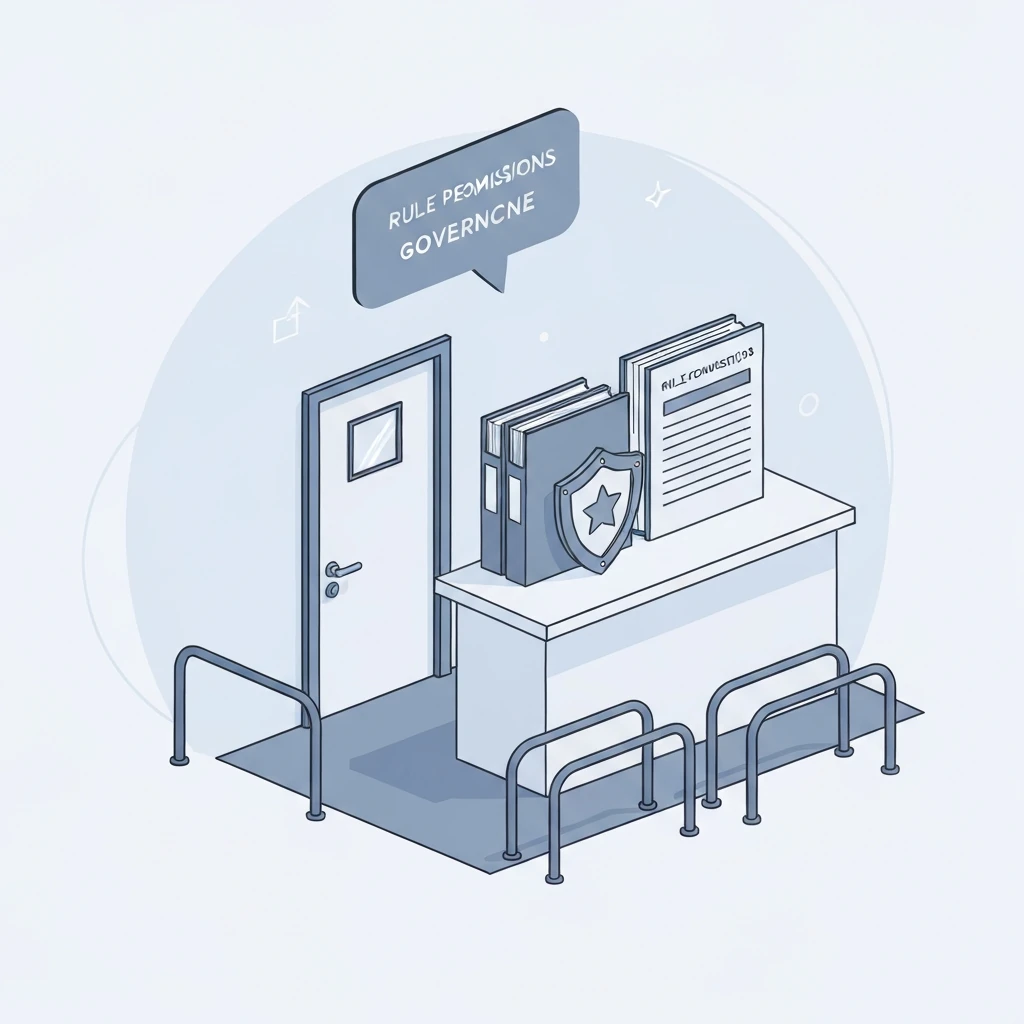
When I’m teaching AZ-900, this is usually the point where you can almost see the gears start turning for people. And honestly, people ask the right questions here all the time, like: is Microsoft Entra ID the same thing as a subscription? Can RBAC stop a deployment to the wrong region? Or, just as importantly, if Microsoft’s got compliance certifications, does that automatically mean my app is compliant too? Those questions matter because identity is basically the front door, governance is the set of rules for the building, and compliance is the paper trail that proves what happened.
Now, for AZ-900, you really don’t need to be a full-blown Azure admin. You need clean mental models. What you do need is a solid feel for which service proves identity, which one hands out permissions, which one enforces standards, which one keeps an eye on security posture, and which one gives you the trust documentation. If you can keep those pieces straight, the whole topic starts making a lot more sense.
Key terms
Identity: who a user, app, or workload is.
Authentication: proving who you are.
Authorization: determining what you can do.
Principal: an identity that can be granted access.
Tenant: your organization’s Microsoft Entra ID boundary.
RBAC: controls who can act on Azure resources.
Policy: controls what must be true about resources.
Tag: metadata used for organization, reporting, and automation.
Lock: a management-plane guardrail against accidental change or deletion.
Secure Score: an Azure security posture indicator in Microsoft Defender for Cloud.
Compliance: meeting required standards, laws, or internal controls.
Identity fundamentals and Microsoft Entra ID
Microsoft Entra ID, formerly Azure Active Directory, is Microsoft’s cloud identity and access service for Microsoft cloud services and many integrated applications. It handles users, groups, authentication, and the identity-based access decisions that hang off of that. It’s not the same thing as an Azure subscription or a resource group, though it is related to them. A tenant is the identity boundary, and one tenant can be tied to multiple Azure subscriptions.
Put simply, Entra ID is the security desk checking who’s who before anything else happens. Subscriptions, resource groups, and resources are the building layout. Different jobs, different layers.
For AZ-900, recognize these identity objects:
- User: a human identity.
- Group: a collection of identities, commonly users and devices, used to simplify access management.
- App registration: the application definition in Entra ID.
- Service principal: the identity instance used by an application or automation to sign in and request access.
- Managed identity: an Azure-managed identity for a workload, used to avoid storing secrets in code or configuration.
This matters in real environments because not every identity is a person. A web app may need to read secrets from Azure Key Vault. A deployment pipeline may need to create resources. A VM may need to write to storage. Those are workload identity scenarios, and managed identities are usually the safer choice because Azure handles the credential lifecycle.
Entra ID also supports internal identities, external identities, and hybrid identity. External collaboration often uses B2B concepts. Customer identity scenarios are now associated with Microsoft Entra External ID; older materials may still reference Azure AD B2C, so be aware of the naming transition. Hybrid identity means organizations can connect on-premises Active Directory with Entra ID, commonly through Microsoft Entra Connect Sync.
A common exam trap is confusing Azure RBAC roles with Microsoft Entra roles. Entra roles manage directory and identity administration. Examples include Global Administrator or User Administrator. Azure RBAC roles manage Azure resources. Examples include Reader, Contributor, Owner, and User Access Administrator. If the question is about managing users or identity settings, think Entra roles. If the question is about managing VMs, storage accounts, or resource groups, your brain should probably go straight to Azure RBAC.
Authentication, SSO, MFA, and Conditional Access — the main sign-in concepts you’ll keep running into
Authentication answers who are you? Authorization answers what can you do? Single sign-on, or SSO, means a user signs in once and can access multiple apps without repeatedly entering credentials. That definitely makes life easier, but it’s still not the same thing as authorization.
MFA, or multifactor authentication, adds another verification factor. That extra proof might come from Microsoft Authenticator, a passkey, a FIDO2 security key, Windows Hello for Business, or some other approved sign-in method. MFA cuts the risk of password-only compromise way down, although it’s worth remembering that not every MFA method is equally resistant to phishing. At AZ-900 level, the key point is simple: MFA strengthens sign-in verification.
Conditional Access is a policy engine layered on top of authentication. It evaluates signals such as user or group, targeted cloud app, location, device state or compliance, device platform, sign-in risk, user risk, and authentication strength. It then applies controls such as require MFA, require a compliant device, require password change, block access, or limit session behavior.
A basic sign-in flow looks like this: the user signs in through Entra ID, the organization’s authentication requirements are checked, Conditional Access policies are evaluated, a token is issued if requirements are met, and then the target service evaluates authorization such as RBAC. That order matters. A user can log in successfully and still not be allowed to manage a resource, because authorization is a separate decision.
Here’s a practical example: a contractor gets invited as an external user, has to complete MFA, can access only the project’s Microsoft 365 and Azure resources, and can sign in only from a compliant device. That setup brings together Entra ID, external identity, MFA, Conditional Access, and least-privilege authorization all at once.
Azure RBAC, scopes, and inheritance
Azure Role-Based Access Control decides who can perform management actions on Azure resources. A role assignment is just the link between a principal, a role, and a particular scope. The principal could be a user, group, service principal, or managed identity. The role defines allowed actions. The scope defines where those permissions apply.
The main Azure scopes are management group, subscription, resource group, and resource. Assignments at higher scopes can be inherited by lower scopes. For example, if a group gets Reader at the subscription level, that read access flows down to resource groups and resources in that subscription unless another control changes the outcome.
Role assignments are generally additive. Azure also has deny assignments, but those are not the primary AZ-900 focus. The important exam idea is that RBAC answers who can do this?
Know a few built-in roles:
- Reader: can view resources but not change them.
- Contributor: can create and manage resources but cannot grant access.
- Owner: full management access, including granting access.
- User Access Administrator: can manage user access to Azure resources.
Custom roles also exist, but for AZ-900 the bigger point is that Azure provides built-in roles and can support custom least-privilege designs when needed.
Another important distinction is control plane versus data plane. Azure RBAC is often discussed in the context of Azure Resource Manager, which is the management or control plane. Some services also have separate data-plane permissions for actions inside the service itself. For exam purposes, remember that not every action inside a service is the same as managing the Azure resource object.
Lightweight implementation example: if a finance operations group only needs to review production resources, assign Reader to the group at the production resource group scope instead of giving individuals Contributor on the whole subscription. That is cleaner, easier to audit, and more aligned with least privilege.
Governance hierarchy and subscription strategy
Azure governance is built on a hierarchy:
Management Group
Subscription
Resource Group
Resource
Management groups organize multiple subscriptions and are useful when you need common governance across departments or environments. Subscriptions are billing and administrative boundaries; access can be assigned at multiple scopes, not only at the subscription. Resource groups are logical containers, often used to group resources with a similar lifecycle. Resources are the actual service instances such as virtual machines, storage accounts, or databases.
Organizations use multiple subscriptions for several reasons: separating billing, isolating production from development, applying different governance requirements, handling quota boundaries, and delegating administration. This is why management groups matter. They let you apply common policy and access patterns at scale instead of repeating the same setup in every subscription.
A useful AZ-900 phrase is this: higher-scope assignments and policies can be inherited downward. That applies to both RBAC and Azure Policy.
Azure Policy, initiatives, tags, and locks
Azure Policy is about standards and compliance. It evaluates resources and resource properties against rules. If RBAC asks who can try, Policy asks whether the resource or configuration is allowed. The two work together: a user may have permission to deploy, but Policy can still deny the deployment if it violates standards.
Important Policy concepts:
- Policy definition: the rule.
- Assignment: applying that rule to a scope.
- Initiative: a group of related policy definitions.
- Exemption: an approved exception to a policy requirement.
- Remediation: bringing existing resources into compliance when supported.
Common policy effects include Deny, Audit, Append, Modify, DeployIfNotExists, and AuditIfNotExists. At AZ-900 level, you do not need to write policy JSON, but you should know Policy can do more than just deny. It can also audit, add required values, modify settings, or trigger deployment of missing configuration in supported scenarios.
Classic examples include:
- Allow resources only in approved regions.
- Require specific tags such as costCenter or environment.
- Inherit a tag from the resource group.
- Audit whether diagnostic settings exist.
Tags are metadata, not security controls. They’re useful for reporting, automation, ownership, and cost management, which is why teams use them everywhere. A practical tagging set might include environment=prod, owner=finance-app, costCenter=CC1042, and dataClass=confidential. Not every resource type behaves identically with tags, so standardization matters.
Resource locks are anti-accident guardrails. CanNotDelete prevents deletion. ReadOnly prevents write operations and can block actions that seem harmless in the portal if they require write methods behind the scenes. The big technical caveat is this: locks protect management-plane operations through Azure Resource Manager. They do not universally protect data-plane operations. A lock on a storage account does not automatically mean blobs inside it cannot be deleted through data-plane permissions.
Also, locks are not backups. They reduce accidental administrative changes, but they do not replace soft delete, backup, versioning, or service-specific protection features.
Defender for Cloud, Secure Score, and compliance views
Microsoft Defender for Cloud provides cloud security posture management and, when relevant Defender plans are enabled, workload protection capabilities. For AZ-900, I’d think of it as the place that brings recommendations, posture findings, and security insights together across Azure and, in some cases, hybrid or multicloud environments.
Secure Score is a posture indicator and prioritization aid. It helps teams understand where they can reduce risk, but it is not a legal compliance score and it does not certify that a workload meets a regulation. Defender for Cloud can also show regulatory compliance views that map technical findings to frameworks, but that still doesn’t mean your organization is automatically compliant.
A practical workflow might go like this: Defender for Cloud recommends enabling just-in-time access, closing exposed management ports, or turning on encryption and monitoring. The team then reviews those recommendations, fixes the highest-risk items first, remediates them, and steadily improves the security posture over time.
Privacy, compliance, Service Trust Portal, and Compliance Manager
Privacy is about proper handling of personal or sensitive data. Security is about protection from threats and unauthorized access. Compliance is about meeting required standards, laws, and internal controls. They overlap a lot, but they’re definitely not the same thing.
Region choice matters, but by itself it’s not the whole story. Data residency is about where data is stored geographically. Data sovereignty is about which laws and legal jurisdictions apply. Replication design, logging, support access, and the way the service is built can all shape the bigger compliance picture.
The Service Trust Portal provides Microsoft documentation related to security, privacy, compliance, audit reports, certifications, and trust resources. It is where governance and audit teams go for evidence about Microsoft’s side of the platform. Some documents require appropriate sign-in or agreements. The key exam point is that the Service Trust Portal provides documentation and evidence; it does not enforce controls in your subscription.
A related concept worth knowing is Microsoft Purview Compliance Manager. It is different from the Service Trust Portal. The Service Trust Portal provides Microsoft-produced trust documentation and audit evidence. Compliance Manager helps organizations assess and track their own compliance activities and improvement actions. One is evidence from Microsoft; the other helps manage customer compliance work.
This distinction matters because Microsoft’s compliance attestations do not automatically make your workload compliant. Microsoft may offer compliant services within scope, but the customer still has to set up identity, logging, data protection, retention, access controls, and operating procedures properly.
Shared responsibility by service model
The shared responsibility model explains which security and compliance duties belong to Microsoft and which remain with the customer. And that split shifts depending on whether you’re using IaaS, PaaS, or SaaS.
| Area | IaaS | PaaS | SaaS |
|---|---|---|---|
| Physical infrastructure | Microsoft | Microsoft | Microsoft |
| Host platform | Microsoft | Microsoft | Microsoft |
| Guest OS | Customer | Mostly Microsoft-managed by service | Microsoft |
| Application code/config | Customer | Customer | Varies by service, but customer still configures usage and access |
| Identity and access | Customer | Customer | Customer still responsible for tenant access and user governance |
| Data classification and protection | Customer | Customer | Customer |
Examples help. In IaaS, if you run a VM, you remain responsible for guest OS patching, though Azure offers tools such as Azure Update Manager and automatic guest patching to help. In PaaS, such as Azure App Service, Microsoft manages more of the platform, but you still manage app configuration, identity, and data. In SaaS, such as Microsoft 365, Microsoft manages most of the application stack, but the customer still controls users, access, data handling, and tenant configuration choices.
Troubleshooting and diagnostics
This topic gets easier when you know how to diagnose failure. Four common patterns show up again and again.
1. User can sign in but cannot manage a resource. Authentication succeeded, but authorization failed. Check Azure RBAC role assignments, the scope of the assignment, and whether the role is appropriate. Also confirm you are not confusing an Entra admin role with an Azure resource role.
2. Deployment is denied even though the user has Contributor. That usually points to Azure Policy. Common causes are allowed location rules, required tags, SKU restrictions, or missing required settings. Review policy compliance and deployment error details.
3. A change or deletion fails in production. Check for a resource lock. A ReadOnly or CanNotDelete lock can block management-plane actions even when RBAC permissions look correct.
4. Sign-in is blocked or extra verification is required. Check Conditional Access and Entra sign-in logs. The user may be outside an approved location, on a noncompliant device, or targeted by a policy requiring MFA.
Useful evidence sources include Entra sign-in logs, the Azure Activity Log, and Azure Policy compliance results. Those are the places teams use to explain why access, deployment, or configuration did not behave as expected.
Worked scenario: a new finance application
Suppose a company is deploying a new finance application in Azure with these requirements:
- Only finance admins can manage production resources.
- Resources must remain in approved regions.
- All resources must include a cost-center tag.
- The production database must not be accidentally deleted.
- The compliance team needs audit evidence before go-live.
The right mapping is straightforward once the concepts are clear. Use Azure RBAC to grant the finance admin group the correct resource permissions. Use Azure Policy to restrict allowed locations and require the cost-center tag. Use a resource lock such as CanNotDelete on the production database or its resource. Use the Service Trust Portal for Microsoft audit and compliance documentation. If the app itself needs to access Key Vault, use a managed identity rather than embedding secrets.
That single scenario ties together Entra ID, RBAC, Policy, tags, locks, managed identities, and trust documentation. It is exactly the kind of mental model AZ-900 wants you to have.
Exam traps and quick review
The most testable distinctions are these:
- Entra ID vs subscription: tenant is the identity boundary; subscription is a billing and administrative boundary associated with a tenant.
- Authentication vs authorization: proving identity is not the same as granting permissions.
- RBAC vs Policy: RBAC controls who can act; Policy controls what must be true.
- Tags vs Policy: tags label resources; Policy can require or modify tags.
- Locks vs backups: locks help prevent accidental management changes; they do not replace backup or data protection.
- Defender for Cloud vs Service Trust Portal: Defender for Cloud measures posture and recommendations; Service Trust Portal provides documentation and evidence.
- Secure Score vs compliance certification: a posture score is not proof of legal or regulatory compliance.
Use this question-deconstruction method on the exam: if the question is about proving identity, think Entra ID, authentication, MFA, or Conditional Access. If it is about permissions, think RBAC. If it is about standards or allowed locations, think Policy. If it is about metadata, think tags. If it is about accidental deletion, think locks. If it is about posture, think Defender for Cloud. If it is about audit reports or trust documents, think Service Trust Portal.
Final memory hook: Authentication = who you are. Authorization = what you can do. RBAC = who can act. Policy = what must be true. Tag = label. Lock = guardrail. Defender for Cloud = posture. Service Trust Portal = evidence.