
AZ-900 Azure Security and Network Security Features Explained
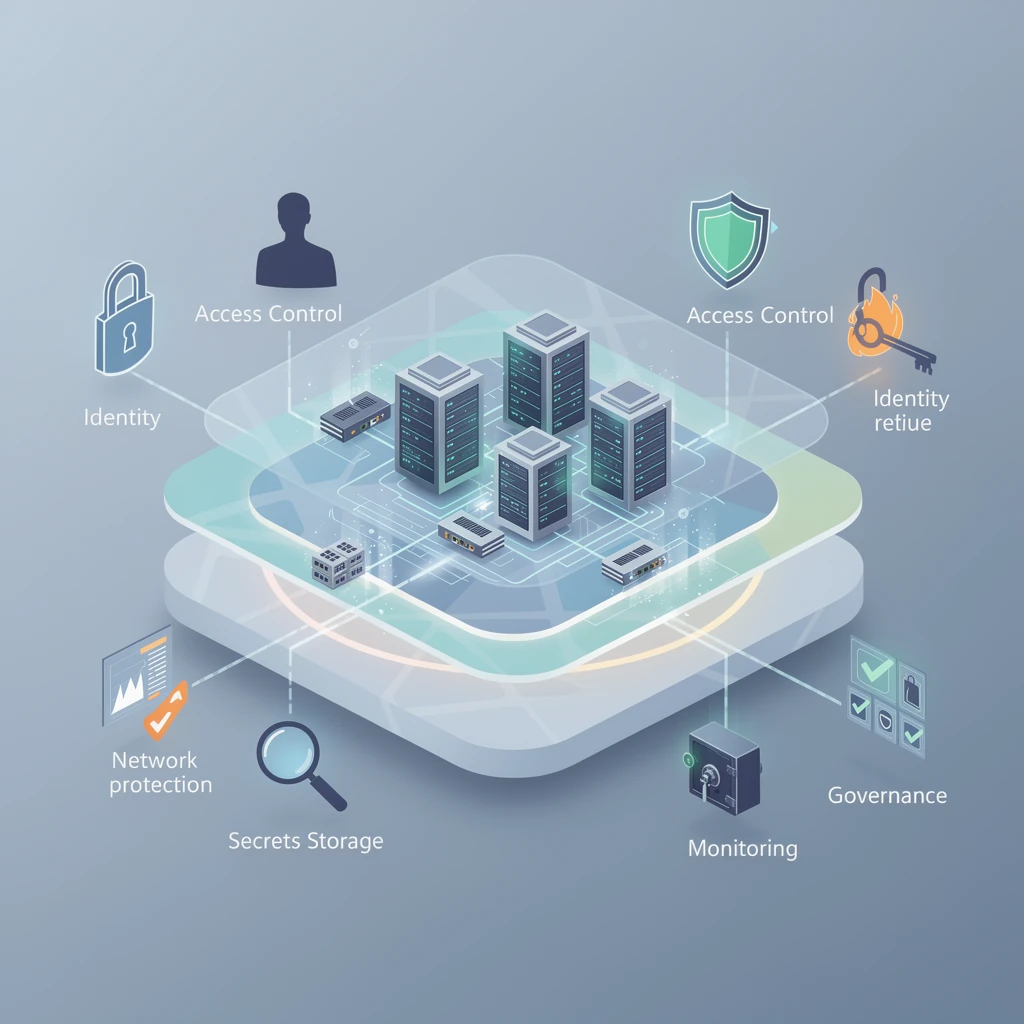
A beginner-friendly walkthrough of Microsoft Entra ID, Defender for Cloud, NSGs, Azure Firewall, WAF, DDoS Protection, Key Vault, and the rest of the Azure security toolkit
Honestly, Azure security can feel a bit crowded when you’re first learning it, because a bunch of services are all protecting different layers of the same environment. That is exactly what AZ-900 wants you to understand: not deep implementation syntax, but the best-fit service for the requirement. Most exam questions get a lot easier once you ask yourself what the real problem is—identity, permissions, network filtering, web traffic, private connectivity, monitoring, governance, or secrets?
Azure definitely runs on a shared responsibility model, so Microsoft handles some things and you handle others. Microsoft secures the physical datacenters, hardware, and core platform. You still secure identities, access, data, and configurations. In IaaS, you manage more, including guest OS settings and many workload controls. In PaaS, Microsoft manages more of the platform, but you still manage access, data, and service configuration. In SaaS, Microsoft manages most of the application stack, while you still manage users, data access, and tenant settings. The cloud doesn’t make security go away—it just shifts where that responsibility lives.
1. Core principles and the Azure security mental model
Three ideas drive almost every Azure security decision. Defense in depth means using multiple layers instead of trusting one control. Least privilege means giving only the access required. Zero Trust means verify explicitly, use least privilege, and assume breach. You can see that Zero Trust thinking all over Azure, actually. Microsoft Entra ID is where identity lives, Conditional Access helps decide whether a sign-in should go through, Azure RBAC controls who can do what on resources, NSGs and Azure Firewall handle network filtering, Private Endpoints keep service access off the public internet, Key Vault protects sensitive information, and Defender for Cloud plus Sentinel help you see what’s going on and respond to it.
One of the easiest ways to make sense of Azure security is to break it down layer by layer:
- Identity: Microsoft Entra ID, MFA, Conditional Access, passwordless methods
- Authorization: Azure RBAC, Microsoft Entra roles
- Network: NSG, Azure Firewall, WAF, DDoS Protection, Bastion, VPN Gateway, ExpressRoute
- Data and secrets: Key Vault, encryption, private access
- Monitoring and response: Defender for Cloud, Azure Monitor, Log Analytics, Microsoft Sentinel
- Governance: Azure Policy, resource locks, standards and guardrails
For AZ-900, that layered model matters more than memorizing every SKU.
2. Identity, authentication, and permissions
Microsoft Entra ID is Azure’s cloud identity platform, formerly called Azure Active Directory. It stores and manages identities such as users, groups, applications, and devices. In real environments, an Entra tenant is the identity boundary for an organization. It can also integrate with on-premises Active Directory in hybrid identity scenarios.
Authentication is proving who you are. Authorization is determining what you can do after you sign in. A pretty typical Azure flow looks like this: someone signs in through Entra ID, Conditional Access checks whether the sign-in looks okay, MFA might kick in, and then Azure RBAC decides what that person can actually do with a subscription, resource group, or resource.
MFA adds another factor to sign-in. That can be a phone prompt, authenticator app, FIDO2 key, or another supported method. Microsoft also promotes passwordless and phishing-resistant methods, so do not think of MFA only as “password plus phone.”
Conditional Access is the Entra policy engine that evaluates signals such as user, group, application, device state, location, and sign-in risk, then applies controls like require MFA, require compliant device, or block access. It is broader than MFA. MFA is a control; Conditional Access is the policy logic that can enforce it. At a technical level, Conditional Access generally requires appropriate Entra premium licensing.
Azure RBAC controls access to Azure resources. Assignments are made at scopes such as management group, subscription, resource group, or individual resource, and permissions are inherited downward. Built-in roles include Reader, Contributor, and Owner. The exam usually focuses on the idea that RBAC answers “who can do what on Azure resources.”
Microsoft Entra roles are different from Azure RBAC. Entra roles control the identity platform itself, like User Administrator or Global Administrator. Azure RBAC controls who can get to Azure resources like virtual machines, storage accounts, and virtual networks, and it also decides what actions they’re allowed to take once they’re there. This distinction is a classic exam trap.
Managed identities let Azure resources authenticate to supported services without storing credentials in code. There are two types: system-assigned, tied to one resource and deleted with it, and user-assigned, created as a separate Azure resource and reusable across multiple resources. A very common pattern is for an app to use a managed identity to pull a secret from Key Vault at runtime instead of hardcoding a password into a config file — and yeah, that’s absolutely the better way to do it.
Other identity topics worth knowing: single sign-on improves user experience across apps, and self-service password reset helps users reset passwords without help desk involvement.
3. Once you get into monitoring, posture, and security operations, it helps a lot to slow down and be clear on what each tool is really for.
Microsoft Defender for Cloud is not a SIEM. It is primarily about Cloud Security Posture Management (CSPM) and Cloud Workload Protection Platform (CWPP) capabilities. Put simply, it helps you understand how securely your environment is set up and gives you added protection for workloads like servers, storage, databases, and containers. Key ideas for AZ-900 are recommendations, Secure Score, regulatory compliance views, and workload protections. It can also extend into hybrid and multicloud environments through things like Azure Arc and supported connectors.
Defender for Cloud also includes useful VM protections such as Just-in-Time (JIT) VM access, which reduces exposure by opening management ports only when needed and for a limited time.
Azure Monitor is the broader telemetry platform. Log Analytics is where logs are stored and queried for many Azure monitoring scenarios. Microsoft Sentinel is built on top of a Log Analytics workspace and ingests data through connectors from Microsoft and third-party sources. Sentinel is the SIEM/SOAR service: it correlates logs, runs analytics rules, creates incidents, supports hunting and workbooks, and can automate response with playbooks.
The exam distinction is simple but important:
- Defender for Cloud: posture, recommendations, Secure Score, workload protection
- Sentinel: centralized log analysis, incidents, investigation, automation, SOC workflows
If the clue words are “recommendations,” “posture,” or “Secure Score,” that should point you toward Defender for Cloud. If they are “incidents,” “correlate logs,” “analytics,” or “playbooks,” think Sentinel.
4. Azure network security foundations
Virtual Networks (VNets) are private network boundaries in Azure. Subnets divide a VNet into smaller segments so you can separate workloads such as web, app, and database tiers. Security improves when those tiers do not all communicate freely.
North-south traffic is traffic entering or leaving the environment, such as internet users reaching a web app. East-west traffic is traffic moving inside the environment, such as app tier to database tier. Azure security services often protect one or both of these directions.
At a high level, you can think of it like this: internet traffic comes in through a web entry point protected by WAF and maybe DDoS Network Protection, NSGs filter the subnets, Azure Firewall handles broader traffic control, admins use Bastion instead of exposing RDP or SSH, backend PaaS services are reached through Private Endpoints, secrets live in Key Vault, and Defender for Cloud plus Sentinel give you visibility into what’s going on.
5. Core network security services: what each one really does
Network Security Groups (NSGs) are stateful packet-filtering rules applied to a subnet or NIC. They support inbound and outbound rules, have default rules built in, and evaluate rules by priority. Because they’re stateful, return traffic for an allowed connection is handled automatically. NSGs are great for basic allow-or-deny filtering close to the workload, like allowing HTTPS into a web subnet or blocking RDP to a database subnet. They are not a centralized advanced firewall.
Azure Firewall is a stateful managed firewall for centralized network control. It supports network rules, application rules, and NAT rules. It can control outbound access, filter by fully qualified domain name for supported scenarios, and use threat intelligence filtering. Some premium capabilities can include things like TLS inspection and intrusion detection and prevention. Azure Firewall gives you broader and more centralized control than NSGs, but it doesn’t replace them. It works alongside them, which is an important distinction.
Azure Web Application Firewall (WAF) protects HTTP/S Layer 7 traffic. In Azure, WAF is typically used with Azure Application Gateway or Azure Front Door. It uses managed rules and custom rules, often based on common web app protection standards, and it can run in either detection mode or prevention mode. WAF helps reduce attacks like SQL injection and cross-site scripting, but it absolutely doesn’t replace secure coding or a general-purpose network firewall.
Azure DDoS Protection is about availability. Azure provides basic platform-level DDoS protection by default. DDoS Network Protection adds enhanced mitigation, telemetry, and cost-protection features for supported public IP resources in VNets. It helps with volumetric and protocol attacks, but it doesn’t inspect web payloads the way WAF does.
Azure Bastion provides secure RDP/SSH access to VMs over TLS through the Azure portal and supported client scenarios without exposing those management ports publicly. It is deployed into a dedicated AzureBastionSubnet. If the exam says “connect to a VM securely without opening RDP/SSH to the internet,” Bastion is the likely answer.
6. Hybrid and private connectivity
VPN Gateway supports site-to-site, point-to-site, and VNet-to-VNet connectivity. It creates encrypted tunnels over the public internet. This is often the simpler and lower-cost hybrid option.
ExpressRoute provides private connectivity to Azure through a connectivity provider or peering location. For the private connection path, traffic does not traverse the public internet. It is not simply “a faster VPN,” and it is not encryption by default; encryption can still be a separate design requirement.
Service Endpoints allow supported Azure services to recognize traffic from a selected subnet and secure access to the service’s public endpoint over the Microsoft backbone. They do not place the service in your VNet and do not assign a private IP in your VNet.
Private Endpoints create a network interface with a private IP in your VNet that privately maps to a supported Azure service through Azure Private Link. This reduces public exposure and is often the stronger isolation model. Many services also let you disable public network access when using Private Endpoint.
The big operational note: Private Endpoints usually require private DNS planning. If DNS still points the service name to a public IP, traffic may not follow the private path the way you expect. And honestly, that’s one of the most common headaches I’ve seen in real-world troubleshooting.
7. When you get to secrets, keys, encryption, and Key Vault, these are the basics you really want to have nailed down.
Azure Key Vault stores and manages secrets, keys, and certificates. Secrets include passwords, tokens, and connection information. Keys are used for cryptographic operations. Certificates support secure communication and identity scenarios. Key Vault access is controlled through Microsoft Entra ID using either Azure RBAC or Key Vault access policies, depending on configuration.
Key Vault is often used together with managed identities. The app gets a managed identity, that identity gets permission to the vault, and then the app pulls the secret at runtime without storing embedded credentials anywhere. That reduces or eliminates stored secrets for supported Entra-integrated scenarios.
Two more Key Vault features matter in practice: soft delete and purge protection. Soft delete helps recover deleted vault objects, and purge protection helps prevent permanent deletion before the retention period ends. For stronger network isolation, Key Vault can also be restricted through networking controls, including Private Endpoints.
At a broader level, Azure services commonly support encryption at rest and encryption in transit. Some services use platform-managed keys by default, while some scenarios use customer-managed keys, often integrated with Key Vault.
8. Governance guardrails: Policy, RBAC, and locks
Azure Policy enforces standards across resources. It is about what is allowed or required, not who gets access. Policy can use effects such as deny, audit, deployIfNotExists, and modify. Policies can be grouped into initiatives for broader compliance goals.
Azure RBAC and Azure Policy work together. RBAC decides who can act. Policy decides what configurations are permitted. For example, a Contributor may be allowed to create resources, but Policy can still deny deployment outside approved regions.
Resource locks add another guardrail. CanNotDelete prevents deletion, while ReadOnly prevents changes. They’re useful for critical resources, but they can also get in the way of legitimate work, so you want to apply them carefully and on purpose.
9. How these services work together in a layered design
Imagine a public e-commerce app in Azure. Internet users reach Front Door or Application Gateway with WAF for Layer 7 protection. DDoS Network Protection helps protect public IP-based resources from large-scale availability attacks. The web, app, and data subnets each have NSGs. Azure Firewall centralizes broader outbound and inter-network filtering. Administrators sign in through Microsoft Entra ID, with Conditional Access and MFA for protection. They connect to VMs through Bastion instead of public management ports. The application reaches Azure SQL or Storage through Private Endpoints. Secrets and certificates live in Key Vault. Defender for Cloud tracks posture and workload protections, while Sentinel ingests logs and supports incident response.
That is the Azure security story in one design: no single service does everything, and that is by design.
10. Troubleshooting and common misconfiguration patterns
User can sign in but cannot manage a VM: authentication worked, but authorization failed. Check Azure RBAC, not MFA.
User gets MFA only off-network: likely a Conditional Access policy using location or device conditions.
NSG rule “doesn’t work”: check rule priority, subnet vs NIC association, default rules, and effective security rules. NSGs are processed by priority, so a higher-priority deny may be winning.
Private Endpoint still resolves publicly: likely a DNS issue. Verify private DNS zone integration or equivalent name-resolution design.
WAF blocks legitimate traffic: review detection vs prevention mode, managed rule tuning, and exclusions. WAF often needs tuning to reduce false positives.
No Sentinel incidents appear: verify data connectors, analytics rules, and that logs are actually reaching the Log Analytics workspace.
Web app protected from SQL injection but still hit by large availability attacks: WAF helps with web exploits, but DDoS protection addresses different attack types.
11. High-probability AZ-900 confusion pairs
Entra ID vs Azure RBAC: Entra ID is identity and authentication; Azure RBAC is authorization to Azure resources.
Azure RBAC vs Entra roles: RBAC manages Azure resources; Entra roles manage the directory and identity platform.
MFA vs Conditional Access: MFA is a sign-in control; Conditional Access is the policy engine that may require MFA.
NSG vs Azure Firewall: NSG is subnet/NIC filtering; Azure Firewall is centralized managed firewalling.
Azure Firewall vs WAF: Azure Firewall handles general network traffic; WAF protects HTTP/S web applications.
Defender for Cloud vs Sentinel: Defender for Cloud improves posture and workload protection; Sentinel handles SIEM/SOAR operations.
Service Endpoint vs Private Endpoint: Service Endpoint secures access from a subnet to a supported service’s public endpoint; Private Endpoint gives you a private IP path through Private Link.
VPN Gateway vs ExpressRoute: VPN uses encrypted internet tunnels; ExpressRoute provides private connectivity through a provider.
Azure Policy vs resource locks: Policy enforces standards broadly; locks protect specific resources from deletion or modification.
12. Exam quick decision tree and rapid review
If the question is about sign-in, think Entra ID, MFA, or Conditional Access. If it is about permissions to Azure resources, think Azure RBAC. If it is about tenant-level identity administration, think Entra roles. If it is about subnet or NIC traffic, think NSG. If it is about centralized network filtering, think Azure Firewall. If it is about HTTP/S attacks on a web app, think WAF. If it is about availability attacks against public IP resources, think DDoS Protection. If it is about recommendations or Secure Score, think Defender for Cloud. If it is about incidents, analytics, or playbooks, think Sentinel. If it is about private access to PaaS with a private IP, think Private Endpoint. If it is about secrets, keys, or certificates, think Key Vault.
Rapid-fire practice prompts:
- Need secure browser-based VM access without public RDP/SSH? Bastion
- Need to restrict traffic to a subnet on TCP 443? NSG
- Need one managed firewall for outbound filtering across many workloads? Azure Firewall
- Need a private dedicated hybrid connection? ExpressRoute
- Need an encrypted tunnel over the internet? VPN Gateway
- Need recommendations to improve cloud security posture? Defender for Cloud
- Need centralized investigation and automated response? Sentinel
- Need a private IP path to Azure SQL? Private Endpoint
- Need to enforce allowed regions for all deployments? Azure Policy
- Need to store app secrets securely? Key Vault
Final cheat sheet: RBAC = rights to resources. Policy = platform rules. WAF = web attacks. Bastion = admin path without public ports. Defender for Cloud = posture. Sentinel = security operations. Private Endpoint = private IP to PaaS. Service Endpoint = secure subnet-based access to supported service public endpoints. DDoS Protection = availability defense. And always remember: AZ-900 usually tests the best fit, not the most powerful-sounding service.
One last study note: branding and capabilities can evolve, so review the current AZ-900 skills outline and the official Microsoft learning materials before exam day. But if you understand the service boundaries in this guide, you will be in very good shape.